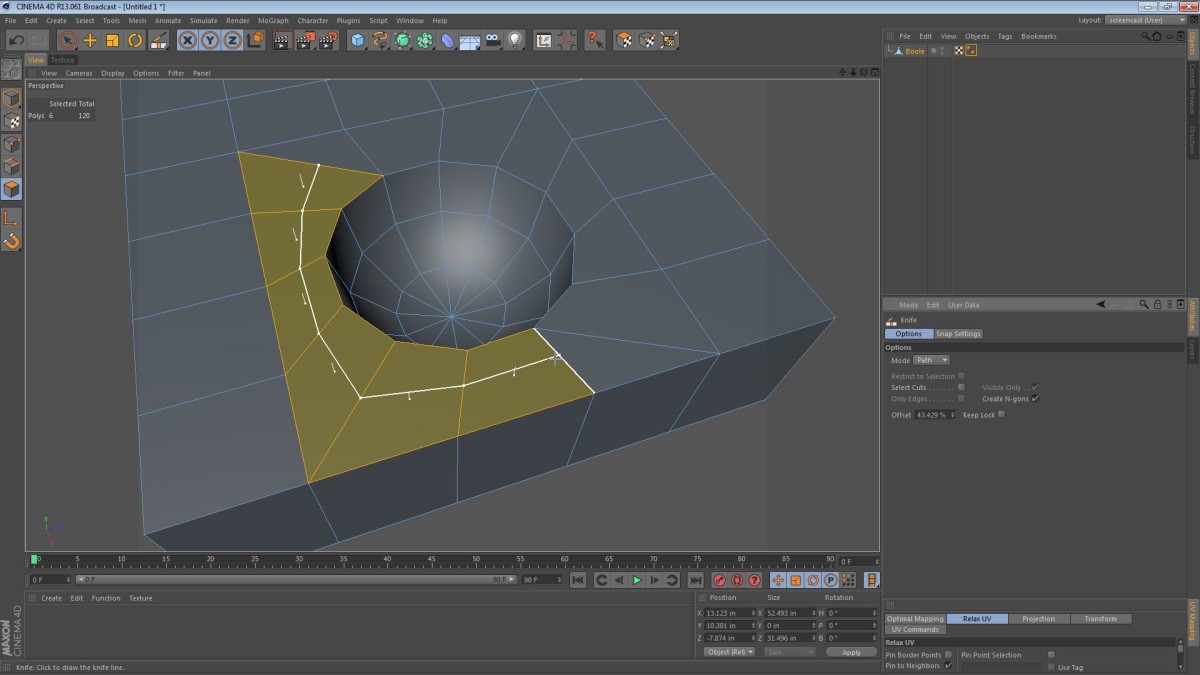
In these two videos, I take a quick look at the way Boolean operations work in Cinema 4D. Specifically, I take a look at my usual approach and examine it a bit further. I’ve heard some 3D veterans and amateurs alike say things like, “Booleans always create messy geometry” or “Just don’t use Booleans… Ever!” I disagree however. As long as your approach is well thought through, using Booleans can be quite a pleasant and time-saving experience.
Here are the steps I take when doing a Boolean operation in Cinema 4D.
- Simplify the geometry
- Prep the area that will be modified
- Clean up the geometry that is left over
Subtracting a Sphere From a Cube
Joining Two Cylinders
Still images from the screencasts:
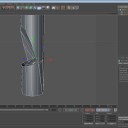
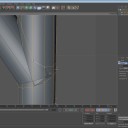
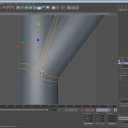
If you enjoyed these videos and or would like to see more, please leave a comment letting me know what you’d like to see.
Translation:
If you’re a polyglot and are interested in helping me translate the captions of these videos to another language, email me: [email protected]
Update:
Since this post is so popular, (and the YouTube videos are too) I’ve decided to test my new “related comments” plugin. You may notice some YouTube comments populating the comment area, acting as WordPress comments.
Gary Johnson
May 25, 2020 — 6:09 pm
Great stuff. is there another way to cross section a model besides a Boole? I am trying to use for a cross- section of of a tooth. I am using hair object for dentin tubes. it works well, but I cannot get a cross section of it to show it inside the tooth.
Jamie Hamel-Smith
May 25, 2020 — 7:33 pm
I’m not sure. I’ve never played with the hair feature in Cinema 4D. Perhaps you would need to convert the hair to polygons first?
Stephen Cox
June 18, 2015 — 10:12 pm
I very intutitive video, you certainly know how to get the best out of C4d. Love your videos so easy to follow.
kaoselite
October 29, 2014 — 10:59 am
Nice! very good tut!
Xander M
October 26, 2014 — 1:51 am
very helpful, thanks!
Jason Lapp
July 28, 2014 — 3:34 pm
I have always struggled with getting my models to conform to 100% quads.
These little tips and shortcuts have really helped me get that much closer.
I am currently working on a project in which I could find no easy way to
avoid using the boolean tool to cut in some detailed engraves into buttons
for an electronics device. You saved me and I just wanted to say thanks.
dayoldy
March 3, 2014 — 9:56 pm
Wow! Masterful insight and explanation Jamie! Thank you!
If I were to do a subtraction boole using some extruded text around the
perimeter of a disk, I can see how that would be a lot more work than what
you’ve described here, because of the added complexity of the text… Is
the process you described here the only way to get smooth results?
ArgoBeats
February 13, 2014 — 3:05 pm
excellent, thank you very much Jamie… booleans really behave in weird
ways most of the time
troy lewis
February 5, 2014 — 5:56 pm
Thank you the amount of hours I’ve spent cleaning Geom after a Boolean
operation..
Now with this prep hopefully I can halve the time
W
December 9, 2013 — 1:41 pm
you rule big time! thanks mate 🙂
William
October 20, 2013 — 1:29 pm
Good stuff, my man. Thanks!
ArchivePete
September 15, 2013 — 7:34 pm
Great tutorial, even explained some tools I don’t use yet. Thanks.
manubudaes
July 22, 2013 — 9:29 pm
Thanks a lot bro!!! 😀 Greate tutorial!!!
Easyvideo66
July 4, 2013 — 2:54 pm
Thanks for the tip, solved one of my problems but now I have a tip where all the edges meet, my base model was a capsule, I have to use hypernurbs but don’t need the waves at the top what is causing, tried melting that single point where they meet but still have 3 nasty ridges left.
Jamie Hamel-Smith
July 4, 2013 — 3:27 pm
From what you describe, it sounds like you should add some more cuts near the spot where the edges meet. Shepperd Oneil has some tutorials about HyperNURBS on his channel. Check them out: /watch?v=LcV3PH_vxKk
Easyvideo66
July 4, 2013 — 6:27 pm
Thanks for the help! Actually I added a cut and lowered the subdivison of the hypernurbs but still left with a small spike which ruin the model, should have started with another basic object…
Plizze
June 9, 2013 — 7:37 am
The best tutorial on how to solve problems in the Booleans
tsunami30003000
October 16, 2012 — 11:12 pm
Hi I really enjoy watching your tuts… One question for this kind of boolean isn’t it easier to just create a sphere and then select a edge loop and extrude it out and form a small rectangle around it and go from there.. that way you have quads
Jamie Hamel-Smith
October 17, 2012 — 12:51 am
Yes, if we were creating the model from scratch, your described method would be better. However, for the purposes of explaining the Boolean techniques, I thought that a cube and sphere illustrated the situation nicely.
Thanks for the feedback, and thanks for watching!
puLsEVFX
September 8, 2012 — 1:59 pm
dont understand why people using boolean 😀
Jamie Hamel-Smith
September 8, 2012 — 11:27 pm
You don’t like them? Or you just never tried to use them?
puLsEVFX
September 9, 2012 — 7:10 am
i tried to use them but the result is just a bad mesh 😀
javier reyes
August 22, 2012 — 6:39 pm
Really useful! Thanks Dude!!
Shawn Altorio
July 25, 2012 — 5:44 pm
Lots of great tips for a noob like myself. Thank you very much Jamie!
Jamie Hamel-Smith
July 25, 2012 — 7:54 pm
No problem, I’m glad you enjoyed it. Let me know if there are other things in Cinema 4D you’d like videos for.
megamonkees
July 20, 2012 — 12:22 am
Good tip about isolating the mess. I would have just started melting and welding, which would probably have messed up the cap.
Your tutorials are great and you’ve definitely earned yourself a new subscriber.
Jamie Hamel-Smith
July 20, 2012 — 2:25 am
Thanks for the feedback! I really appreciate it, and I’m glad you found the videos useful.
megamonkees
July 20, 2012 — 12:00 am
Great tutorial! There are lots of good tips in there. One thing I would disagree with you on is making the loop cut to turn the tris into quads at 11:10 . I know that tris aren’t ideal to subdivide, but having half of the boole’s surrounding polys half the size of the others creates more unnecessary geometry, that will be accentuated with a subdivision. That’s just my opinion, though. And the default shortcut for the Weld tool is M~Q.
Jamie Hamel-Smith
July 20, 2012 — 2:21 am
Thanks for the feedback megamonkees, I’m glad you like the tips.
I agree with your observation about the triangles. It’s better to preserve the spacing but I just wanted to show the viewers how to turn a pair of difficult triangles into two manageable quads. It was purely academic. Had it been a different object, I would have tried to create another split heading away from the circle instead of along it.
megamonkees
July 20, 2012 — 6:17 pm
That’s very fair. It was still a good tip, and a good thing for people to have in the back of their mind when correcting topology. As I said, I wouldn’t have used it there, but I agree with the tip in an academic sense, like you said. :p
johnn89
July 16, 2012 — 3:32 am
really useful tips… thanks a lot, ur tuts are awesome keep it up the nice work 🙂