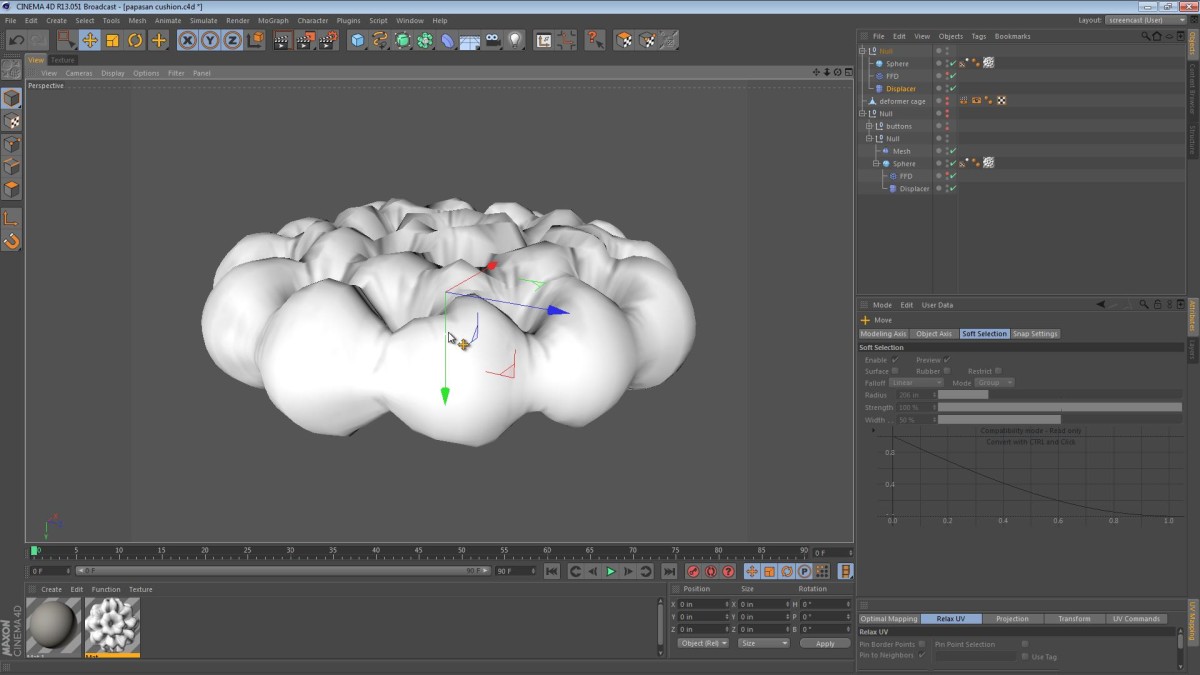
After one of my commenters requested a tutorial on the creation of this cushion, I started thinking about how to go about doing this.
Unfortunately a lot of folks request tutorials on topics too broad or lengthy for me to cover in a simple one-screencast sitting, but the Papasan request was manageable. My commenter’s request was simple and to the point.
Below is my rushed attempt at that screencast. I’m not one for making excuses, but I had to plan this around my new life of taking care of a newborn. My daughter is about 5 weeks old and my schedule recently is pretty crazy. I basically have to grab the computer when I can and thankfully, I had that opportunity today.
nezar
November 3, 2013 — 8:21 am
thank you a million time this is awesome tut !!!!!
shyaka rene
September 27, 2013 — 11:32 am
would you like to tell me about the method that you used to model the flame and those links of your papasan chair.
Jamie Hamel-Smith
September 28, 2013 — 2:15 am
The frame was created by using SweepNURBS objects. I then texture mapped them.
7BeAsT9
August 20, 2013 — 11:44 am
Is there possibility to make editable displacer? If I have enabled emulate in viewport I would like to make it editable so I can use vray material on that displacer object. I dont like vray deformer tag thats why I would like to use deformer form c4d.
mouradiyat
April 11, 2013 — 7:37 pm
Great tip. thanks.
flashgiz1
December 1, 2012 — 10:11 pm
Great tip. thanks.
Tomazin4o
October 5, 2012 — 6:32 am
thank you!!!
ZeeDeveel19
August 11, 2012 — 4:31 am
awesome! thanks for the upload – i was having problems with some furniture design visualization i was doing.
thanks!
Shinji Tanaka
May 31, 2012 — 7:58 am
jonathan korner
May 29, 2012 — 4:42 pm
very useful :D
SockGardener
May 2, 2012 — 1:03 am
Thanks Jamie, that was useful — I especially like the way you keep everything procedural for as long as possible.
One little tip for the Displacer deformer…
The best way to achieve the effect you were after would have been to check the ‘Emulation’ box in the deformer. This shows you the effect of the shader in the viewport. If you add the texture to the shading tab the object gets displaced twice — once in the viewport and again in the render, usually not what you are after 😉
cheers
Jamie
May 2, 2012 — 6:08 am
Thanks SockGardener,
I’m grateful for the Displacer deformer tips. (I’m guessing you’re referring to around 17:45 in the screencast yes?)
SockGardener
May 2, 2012 — 6:41 am
The part I’m referring to is around 15:20 when you first drop the displace deformer into the hierarchy and it doesn’t work. Checking ‘Emulation’ would have made it work 🙂
Nice model by the way!
Tara
April 30, 2012 — 12:20 am
Jamie this is fantastic. Thank you so much for taking the time to make this screencast…..and so soon after I asked. Im sure it will come in handy for others too.