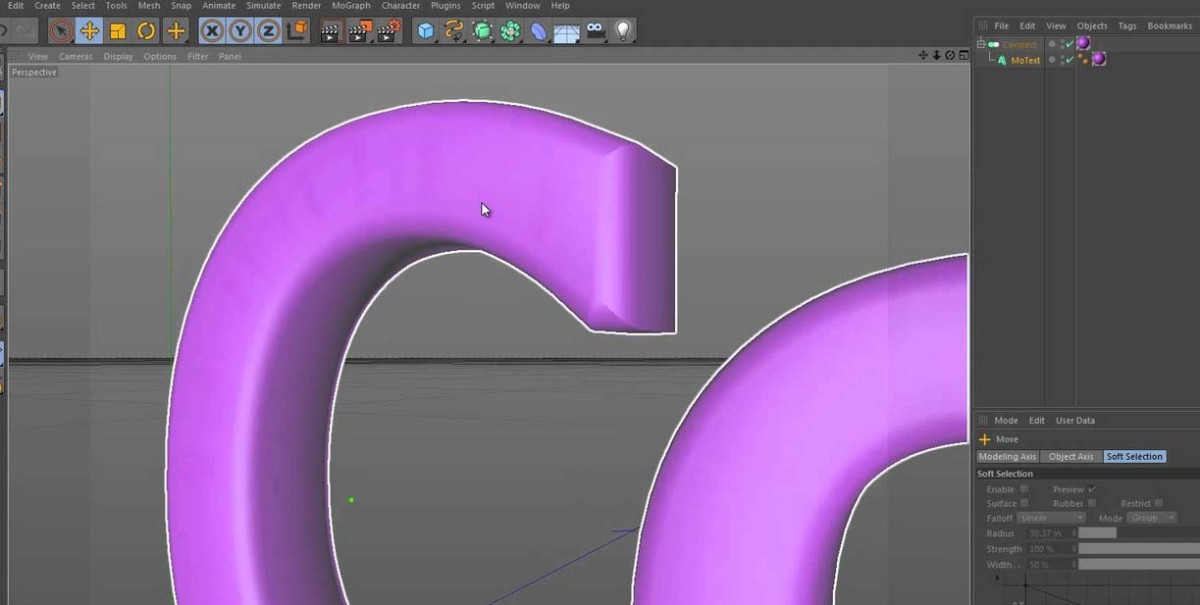
This Five Minute Tip is the inaugural tip and reflects on a video I saw on Greyscale Gorilla a while ago. It uses the Cinema 4D Connect Object to join tow different parts of one object or two completely separate objects. Read on for the video and some more info about the tip.
The Connect Object was merely a footnote in a lengthy list of changes, enhancements, and new features that Cinema 4D R10 brought us. It’s easy to overlook the Connect Object’s usefulness (as I did), but after seeing one of Nick Campbell’s videos over on Greyscale Gorilla, I suddenly remembered how useful this tool is. Here’s an old discussion on C4D Cafe about the different uses of the object.
The tool/object/generator (call it what you will), takes two objects or two disconnected parts of one object and welds the points that fall within a given threshold.
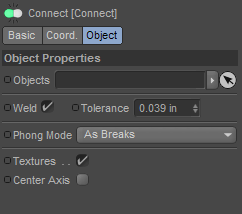
You use it by placing the objects you’d like to connect beneath the Connect Object in the object manager’s hierarchy. From there, you can adjust the Tolerance and any other options you’d like to change.
francisco
December 3, 2015 — 7:32 am
Another use of the connect object is , if you turn off weld, to use it instead of a null object, to group objects. Say for example, the legs, armrests, seat and back of a chair you modelled. You can actually resize the whole connect object to make the chair the overall size you want and make it fit the space you need it to fit, rather than have to resize each part of the chair individually. You cannot do that with a null object. It is also a way to be able to see the overall size of a group of objects. Null objects do not show their size….
rajesh
September 8, 2015 — 3:39 am
Hi jamie Thx for your tips, i would like to see this technique in splines
Gustavo Torres
April 7, 2014 — 7:14 pm
Thank you Jamie!
troy lewis
February 4, 2014 — 1:42 pm
thankyou subscribed to your pages.So useful to have these tips all in one
place to reference. ;-)
shivercanada
January 27, 2014 — 8:31 pm
This is the best Tutorial I’ve seen in a while to really help connecting
separate objects thank you so much!!!
PhotoMe99
October 16, 2013 — 4:06 am
great thx
Robert Torres
September 9, 2013 — 3:41 am
You just solved a problem I had joining the ends of a twisted cube on a 360 degree bend! Thanks!
Elias
July 11, 2013 — 3:07 am
2 days with the problem and you solve in five minuts 🙂
thanks a lot!
C THOR
July 8, 2013 — 8:19 am
Thanks
MySonyVegas
June 22, 2013 — 11:47 pm
Great tut, I want more of them!
styluminium
June 8, 2013 — 12:12 am
Thanks!
NightHawkItalo
October 9, 2012 — 10:51 am
Thanks Mate,very useful 😉
also if you know more technics about Connect Object can u share me with a tutorial please?
Thanks again for sharing 🙂
Jamie Hamel-Smith
October 9, 2012 — 1:16 pm
I’m glad you liked it! Another technique with this object that is not covered in this video is that it works on Splines too. I have not tried it, but I’ve read that you can use it to connect multiple Splines.
Jamie Hamel-Smith
September 23, 2012 — 9:49 pm
So here’s the first entry in my potentially boring, predictably named,
video series, that I’m going to do my best to pull off.
And here’s the post (In case you like words too):
http://jamie3d.com/five-minute-tip-the-connect-object-in-cinema-4d/
#words #tutorial #cinema4d